
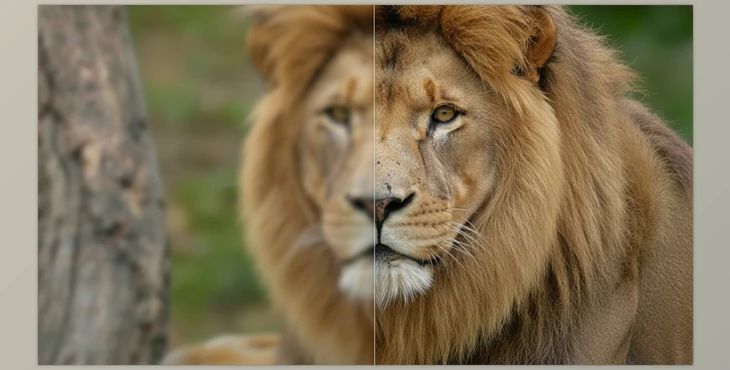
Have you had any experience using the Aiarty Video Enhancer? Many times, we have a video that is excellent in content but not in quality. The image is noisy, slightly blurry, low-resolution, or the motion is irritating. Re-shooting isn’t an option, there’s no time, or the conditions don’t allow it.
This probably makes you wonder, how can we actually enhance the quality of the video instead of simply stretching the pixels and creating an artificial-looking image?
AI video enhancement means software analyzes the footage frame by frame, detects noise, understands motion, and, instead of just upscaling, it tries to reconstruct or generate real details.
This is especially useful in motion design, editing, and animation because cleaner footage leads to:
To be honest, before AI tools became part of the process, upscaling video quality was not straightforward. It was a lot of guesswork and hit or miss, and each time could take hours to get the best setting possible.
For example, I'd usually turn first to editing software and its effects:
But these were all flawed in their own ways.
The main issue was that adjusting these tools took a lot of time. Every shot required sliders to be moved back and forth to reach an acceptable balance. If the lighting changed or the type of noise differed, you basically had to start all over.
Moreover, results often looked overly artificial. Images could become too sharp, edges would halo, or noise reduction would remove important details, leaving a plastic-like, lifeless video—very noticeable in professional motion work.
Another issue was system stress. Heavy renders, slow previews, and high CPU/GPU loads made video improvement one of the heaviest burdens of a project at the start, middle, and end, when there were numerous heavy shots.
In the end, it seemed like the video only became more pixelated (albeit, higher resolution numbers were achieved). However, there still was not enough somatic, clear-cut, realistic image quality to suggest that traditional means could have solved this issue, despite using the same approach.
Aiarty Video Enhancer is an AI-driven professional application geared toward video enhancement for quality improvement rather than aesthetics. For example, it doesn't just upscale 480p to 720p; it analyzes the frames and reconstructs missing pixels.
Furthermore, Aiarty Video Enhancer operates on multiple AI models within the same application, so it's not one size fits all. Instead, you have the best model for the job based on your footage requirements:
True AI Video Enhancer: Aiarty doesn't simply upscale video resolution. It examines every frame and reconstructs details that are lost in a natural fashion, so the image becomes clearer without appearing artificial.
Resolution up to 4K with Detail Preservation: Reconstructs rather than stretches pixels; Reconstructs textures and key details (edges, facial features, surroundings) for large screen compatible output
Removes Noise and Blur from Difficult Videos: Reconstructs noise and blur (especially low light/old videos) without making it too soft or plastic
Reconstruction of Key Image Textures: Facial skin/hair, clothing, and environment textures appear more natural
Smoother Slow Motion via Frame Generation: Generates additional frames to make motion 'smoother' for slow-motion videos or to correct lagging videos
Audio Cleaner, Noise Reduction, Vocal Separation: No other software is needed to reduce background sounds or harsh elements. Vocals are clearer in recordings.
Color Correction with HDR Support: Brightness, contrast, and color are adjustable. It can even convert SDR to HDR for a better quality image.
All processing is OFFLINE with full GPU Utilization: No watermarks or configuration needed.
Aiarty Video Enhancer is the one-stop shop for video enhancing without fuss and without the need to go to various software to get various tasks done. With the ability to approach with multiple AI models, work offline with one-hundred percent GPU utilization, it offers results that no one else can and in a quick fashion. This is an effective tool for people who want the most enhancement with the least effort. It bridges the gap of inadequacies between video processing and what should be easily capable through superior technology.
If you want your videos to look natural and professional after processing, following a few simple tips can help a lot:
By following these simple tips, your videos will look more professional, and your workflow will be smoother with fewer post-correction headaches.
Aiarty Video Enhancer doesn’t replace editing or motion graphics software, but it simplifies the parts that are always time-consuming, complex, and frustrating.
Intelligent frame processing, detail reconstruction, and noise removal make results look natural without hours of tweaking and long renders.
The benefit is obvious—this will take up less of your time and drastically enhance your video quality to make it output like professional work. Whether you deal with video, motion graphics, video animation, or archival material, Aiarty Video Enhancer is a trusted tool that alleviates the hassle and restrictions of conventional support.
