ON1 Resize AI 2026.3 v20.3.1.18535 (Win, Mac)
本站所有资源来源于网络,均不支持商用,仅供个人学习与研究。
ON1 Resize AI:
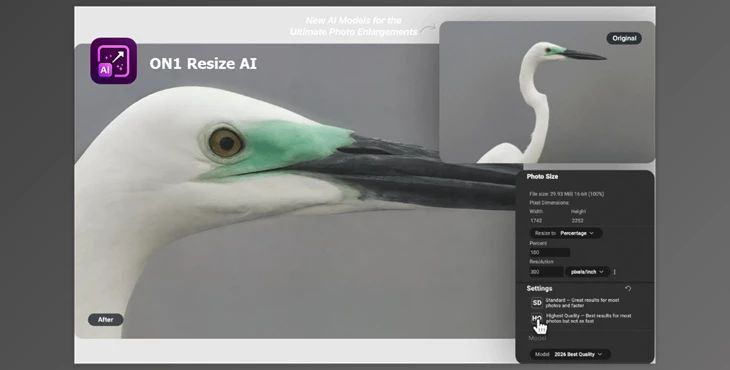
ON1 Resize AI is the most powerful software to enlarge photos in the industry. Featuring super-resolution AI technology that enlarges up to 10 times, the industry standard keeps edges and details intact as the AI learns what is supposed to be in the image. This is the perfect solution for any photographer who needs prints in hand, who wants to enlarge images generated by generative AI, or who seeks to restore and keep detailed legacy images that would typically blur or artifact over time. ON1 Resize AI fulfills any photographer's and hobbyist's needs, professional quality and great casual endeavors, taking advantage of the best in new AI technology and features at your fingertips.
Some great features of ON1 Resize AI:
- Highest Quality Model: New diffusion-based AI achieves ultra-sharp enlargements even from small images—perfect for gallery-quality prints.
- Standard Model: New AI processes quickly to achieve quality results from poor-quality/noisy images needing high batch processing.
- New Photo Input Options: Automatically determines the best model to use when resizing based on the input type.
- Tools for Print-Ready Output: Resize will not reduce quality/increase sharpness for any required output.
- Tiling for Murals: Print extra-large images in sections.
- Gallery Wrap Margins: Prepare photos for ease of canvas production.
- Smart Sharpening & Resolution Presets: Automatically determined by the printer's requirements.
- Soft Proofing: See how the work will look when printed.
- Batch Resize & Export: Easy to resize and export large galleries.
- AI-Powered Upscaling: Automatically sharpens detail while maintaining textures via machine learning.
- Genuine Fractals® Technology: Enhances edges and retention of detail for enlarged images specifically.
- Standalone & Plugin Support: Use Resize as a separate application or plug into Photoshop, Lightroom, etc.
- Non-Destructive Editing: Edits are saved as a file for later revision.
- Control Print Size & Resolution: Control the physical size and resolution of the final product.
- AI Resize Mode: Run automatically to apply best-in-class AI upscaling adjustments.
- Crop & Fit Options: Adjust output dimensions while keeping the same aspect ratio.
- Sharpening for Output: Sharpening specifically for the medium (print, web, etc) can be applied.
- User Experience Features: Preview before and after, customize the experience, shortcut keys streamline workflow.
资源列表

