
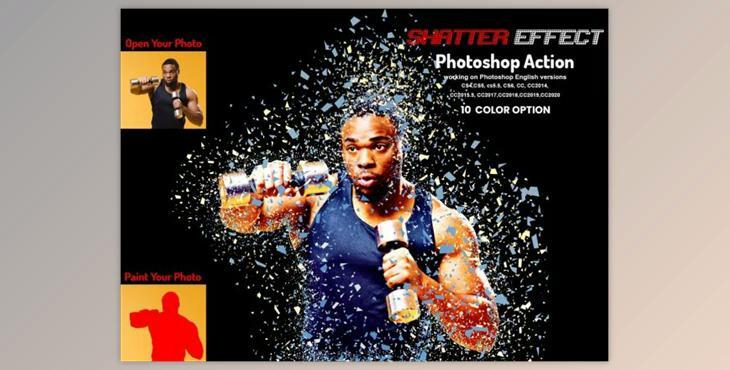
The Shatter Effect Photoshop Action is perfect for designers and photographers. It enhances and makes images more beautiful. This will allow you to create stunning images that have unique and amazing looks. You can choose from 10 different color options when you open the set.
My working software version : CC2020 English Version. Software supported version: CS4, CS5, CS5.5 and CS6, CC2014, CC2015.5, CC2015.5, CC2016.5, CC2017, CC2018, CC2019, CC2020+English Version.
The most important instruction is:
(1) First, resize your photo by selecting the crop tool. Next, go to the top menu bar and select Width 2000px, height 2000px Resolution 72. More information can be found at PDF Help File
(2) Open your image and create a new layer. Next, use a soft brush to paint your image. Next, close the "paint layer eye" and continue selecting "paint". Click on the action button.
(3) A stop message will appear when you press the play button. Follow the instructions in the stop message.
You can erase the background color or add more details. To do this, select the brush tool (B), choose a soft brush, and then brush the subject. Set the foreground to #000000 to erase and for more details, set it to #fffffffff.
File includes:
Not included: Mockup and preview images
Images recommended : I use images 2000x2000px at dpi 72
